Residency Interview Tracking, Simplified.
Track every invite, spot at-risk students early, and keep your entire cohort on the path to Match Day — with zero manual follow-up.
Features
Everything your program needs during interview season.
RanktoMatch is purpose-built for residency interview season — not adapted from generic software.
Automatic Email Reminders
Set a reminder schedule — daily, weekly, or bi-weekly — and RanktoMatch handles the rest. Students receive timely nudges to log their latest invites, keeping your data fresh without any manual outreach.
Intuitive Admin Dashboard
A clear, real-time overview of your entire cohort. View aggregate statistics by specialty, drill into any individual student's record, and benchmark your school against interview norms — all from a single screen.
Early SOAP Risk Identification
RanktoMatch flags students whose interview counts fall below specialty-specific risk thresholds, giving advisors weeks — not days — to intervene with targeted support before Match Day.
One-Click Data Export
Export your entire cohort's interview data to Excel at any time. Share reports with department chairs, accreditation bodies, or your dean's office — in seconds, not hours.
Flexible Student Onboarding
Invite students individually by email or bulk-upload your entire 4th-year class from a CSV. Students receive a personalized signup link with their role and specialty pre-configured.
Privacy-First Design
Students can flag individual institutions as anonymous, keeping sensitive data private from classmates while still contributing to the aggregate cohort statistics administrators rely on.
For Students
Logging interviews has never been easier.
A tool students actually want to use
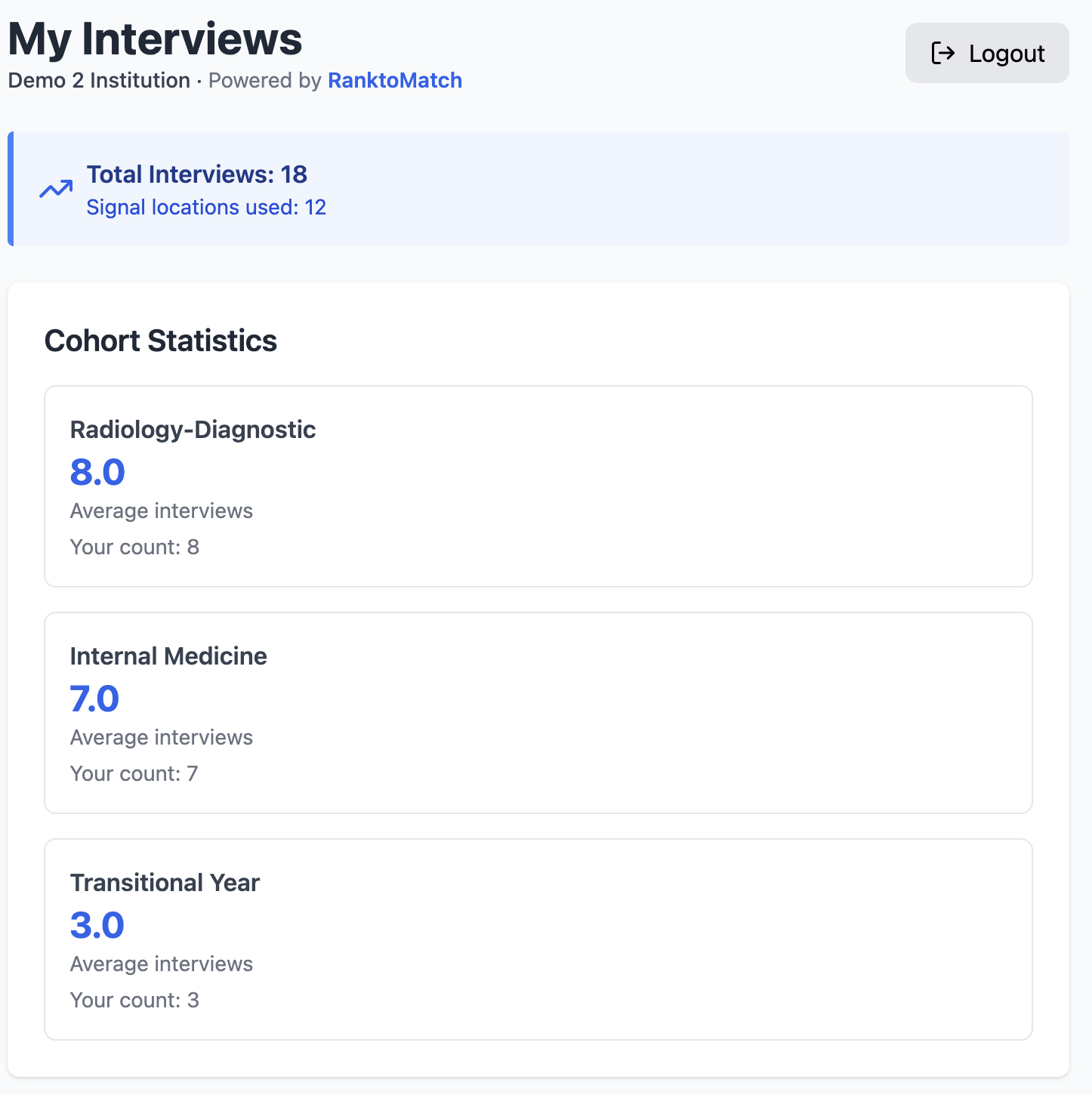
Simple, fast, and built around the residency application workflow students already know.Log by specialty, region, and institution
Add each interview invite in seconds. Tag the specialty and geographic region, and optionally name the institution — or keep it anonymous.
Track Signal locations and geographic preferences
Mark whether an invite was a Signal location or came with a geographic preference — details that matter during the rank list process.
See how you compare
Your dashboard shows your invite count alongside the cohort average for your specialty, so you always know exactly where you stand.
For Students
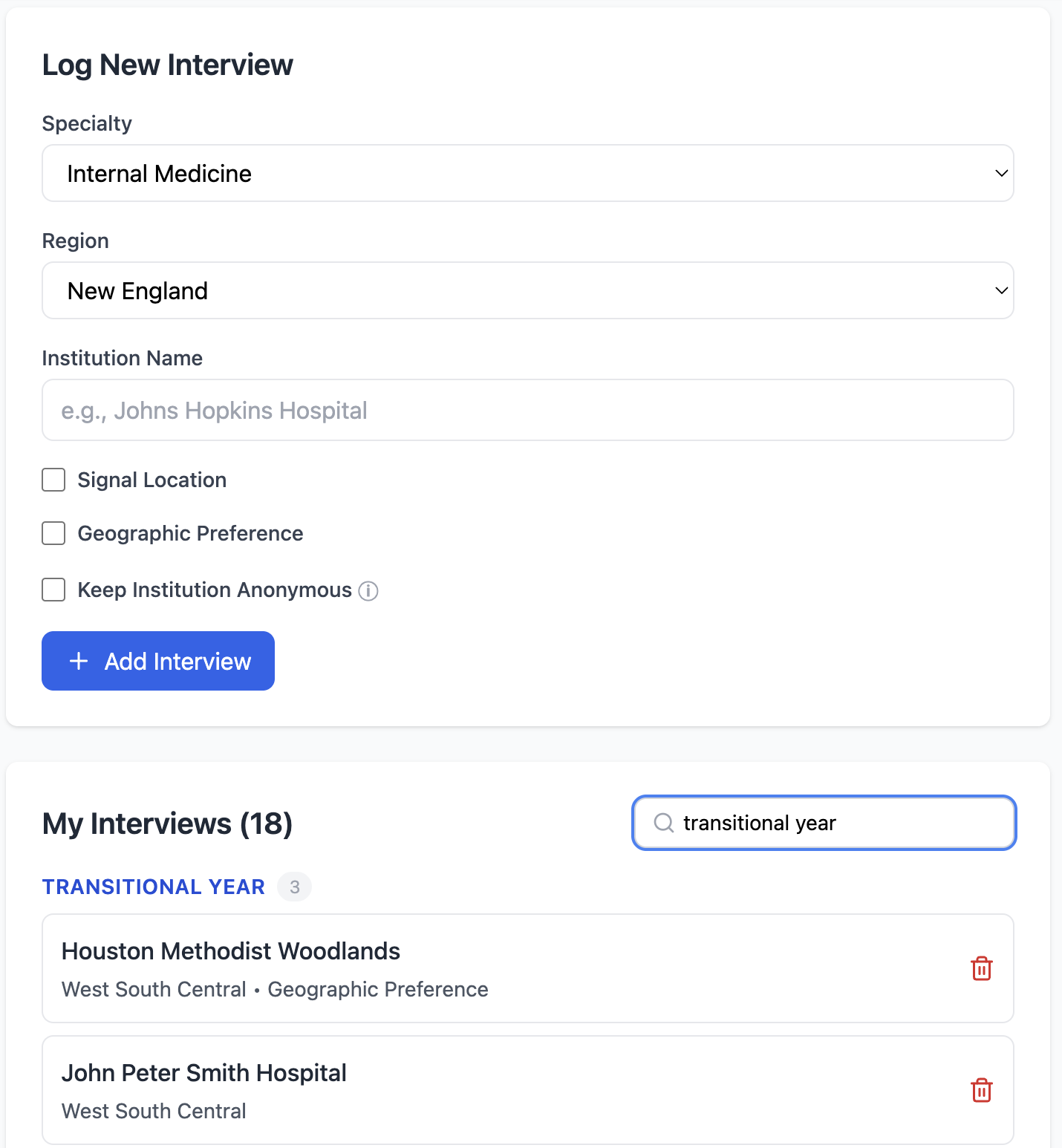
Your interviews, organised and searchable.
Filter by specialty in one click
Instantly narrow your interview list by specialty to see exactly how many invites you have in each area — no scrolling through a long list.
Signal and geographic preference tags
Each entry clearly shows whether a programme was a Signal location or came with a geographic preference, keeping every detail accessible at a glance.
Remove entries with confidence
Declined or cancelled an interview? Remove it from your list in one click and your cohort statistics update instantly.
Get your program set up in minutes.
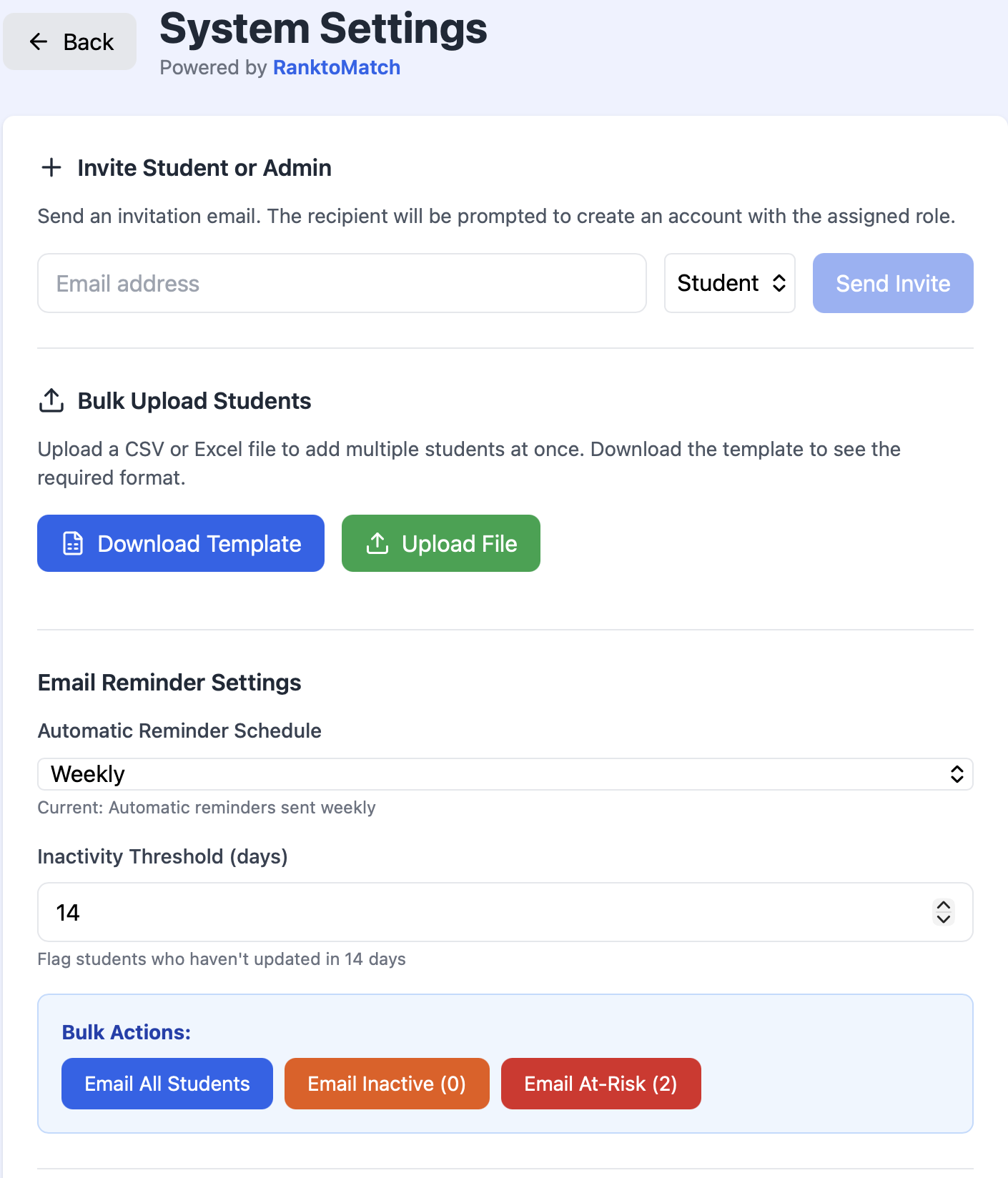
Step 1: Invite your students
Enter emails one by one or bulk-upload a CSV of your entire 4th-year class. Students receive a personalized signup link with their role and specialty pre-assigned — no IT department required.
Step 2: Configure reminder settings
Choose how often RanktoMatch emails students to update their interview log. Set an inactivity threshold to automatically flag students who haven't logged in recently.
Step 3: Monitor your dashboard
Watch real-time cohort statistics update as students log invites. Spot at-risk flags as they appear, drill into any student's record, and export reports to Excel whenever needed.
Ready for Match Day!
FAQs
Frequently Asked Questions
Everything you need to know about RanktoMatch before getting started.
Who is RanktoMatch designed for?
RanktoMatch is designed for medical school administrators — student affairs offices, residency advisors, and clerkship directors — who need to track 4th-year students' residency interview invites across an entire cohort during interview season (typically September through January).
What is SOAP, and how does RanktoMatch help?
SOAP (Supplemental Offer and Acceptance Program) is a last-resort match process for medical students who go unmatched on Match Day. RanktoMatch helps advisors identify students accumulating fewer interviews than expected for their specialty early in the season, allowing for proactive intervention long before SOAP becomes necessary.
How do students log their interviews?
After accepting their invitation, students log into their personal dashboard and add each interview invite they receive. They select the specialty, geographic region, and institution name (optionally anonymous), and can mark whether the invite was a Signal location or included a geographic preference. The whole process takes under a minute per entry.
Is student data kept private?
Yes. Students can choose to keep individual institution names anonymous from their classmates while still contributing to aggregate cohort statistics. Administrators see full data for oversight purposes, but peer-to-peer visibility is controlled by each student.
How do I onboard my students?
You can invite students individually by entering their email addresses in the Settings panel, or bulk-upload your entire class using a CSV or Excel file. Each student receives a personalized invitation with a signup link and their assigned role pre-configured.
Can I export data for accreditation or reporting purposes?
Absolutely. The admin dashboard includes a one-click Export to Excel button that downloads a complete record of all students' interview data — by specialty, region, and institution. This makes reporting to department chairs, GME offices, and accreditation bodies fast and straightforward.
Ready to bring clarity
to interview season?
RanktoMatch is currently onboarding partner schools for the upcoming interview cycle.Reach out and we'll have your program live before the season begins.